Introduction
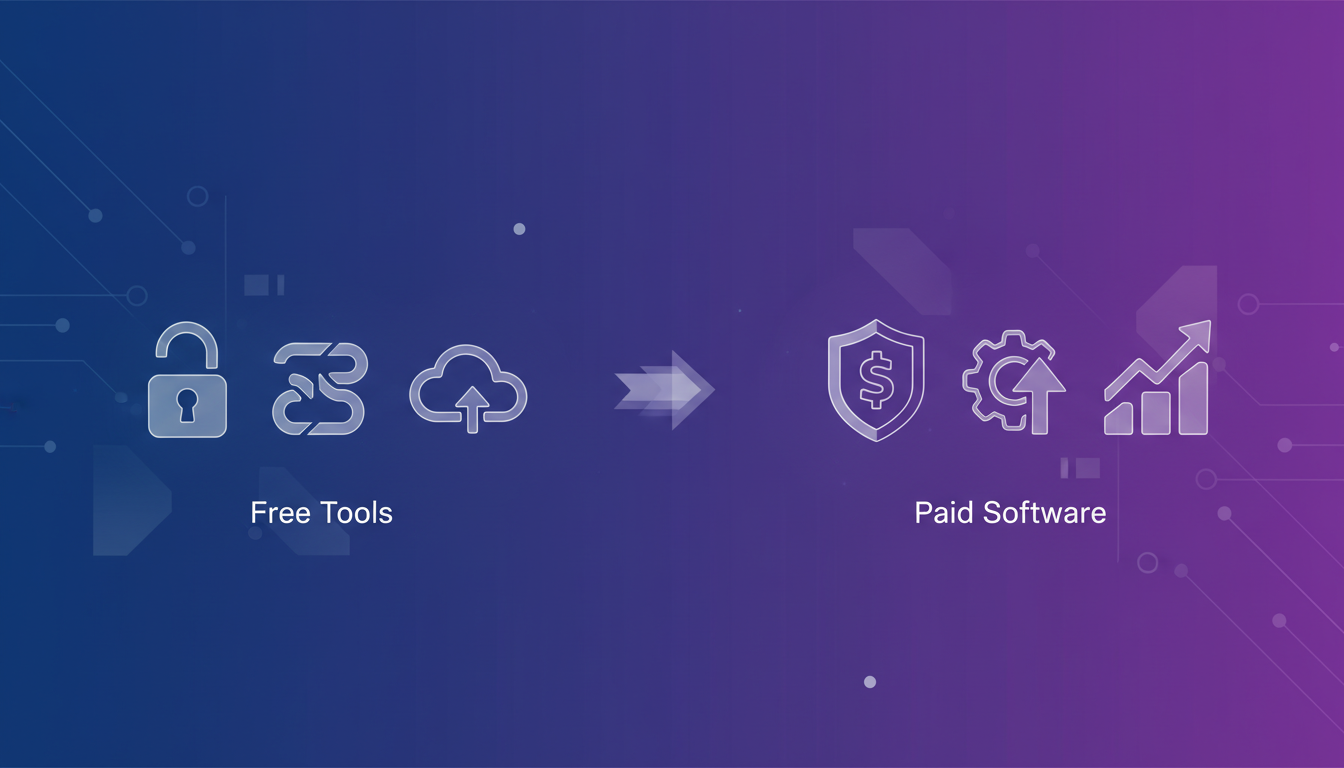
In today's digital landscape, file conversion is an unavoidable task. Whether you're transforming a PDF into a Word document, converting an image for web use, or adapting a video for different devices, the need to manipulate file formats is constant. The market offers a plethora of solutions, ranging from free, readily available online tools to robust, feature-rich paid software. But which option is right for you? Navigating this landscape can be tricky. Free tools often tempt with their zero-cost entry point, but come with limitations. Paid software, on the other hand, promises advanced features and reliability, but at a price. This comprehensive guide will delve into the world of free vs. paid conversion tools, providing a detailed comparison to help you make an informed decision. We'll explore the pros and cons of each, highlight key differences, and offer practical tips to ensure you choose the best tool for your specific needs. Our goal is to equip you with the knowledge to confidently select a solution that balances cost, functionality, and security.
Why This Matters
The choice between free and paid conversion tools isn't just about saving a few dollars. It directly impacts your productivity, data security, and the quality of your work. Imagine a marketing team struggling to convert large video files using a free online tool, only to discover that the output quality is significantly degraded, rendering their marketing materials unprofessional. Or a small business owner accidentally exposing sensitive financial documents by using a free converter that uploads files to a public server. These scenarios highlight the real-world implications of choosing the wrong tool.
For businesses, time is money. Inefficient conversion processes can lead to project delays, wasted resources, and missed deadlines. Furthermore, the security risks associated with free, unverified tools can be catastrophic, potentially leading to data breaches, malware infections, and reputational damage. Paid software often offers features like batch processing, which can dramatically reduce the time spent on repetitive tasks, and advanced security measures to protect sensitive data. Understanding the trade-offs between cost and functionality is crucial for optimizing your workflow, protecting your assets, and ultimately, achieving your business goals. A well-chosen conversion tool, whether free or paid, can streamline your operations, enhance your productivity, and provide peace of mind.
Let's break down the key differences between free and paid conversion tools, examining their features, limitations, and suitability for various tasks.
1. Features and Functionality:
-
Free Tools: Typically offer basic conversion capabilities for common file formats. For example, a free online PDF to Word converter might handle simple text-based documents adequately. However, complex layouts, images, and tables often get distorted. Free tools often lack advanced features such as OCR (Optical Character Recognition), batch processing, and custom settings.
Example: Consider using an online tool like Smallpdf for basic PDF conversions. While suitable for simple tasks, it might struggle with scanned documents containing images or complex formatting.
-
Paid Software: Provides a wider range of features and functionalities. This includes support for a broader array of file formats, advanced settings for controlling output quality, batch processing capabilities, OCR, and integration with other software.
Example: Adobe Acrobat Pro offers robust PDF conversion features, including OCR for scanned documents, editing capabilities, and integration with other Adobe products. Similarly, a paid video converter like Wondershare UniConverter supports numerous video formats, offers advanced editing tools, and allows for batch processing.
2. Limitations:
-
Free Tools: Often come with limitations on file size, number of conversions per day, and access to advanced features. They may also display intrusive ads or require you to create an account. Security is a major concern, as some free tools may upload your files to public servers or bundle malware with their software.
Example: Many free online image converters limit the maximum file size you can upload. They might also add watermarks to the converted images or require you to subscribe to a paid plan to remove them.
-
Paid Software: The primary limitation is the cost. Paid software typically requires a one-time purchase or a recurring subscription fee. However, the investment often pays off in terms of increased functionality, improved performance, and enhanced security.
3. Security:
-
Free Tools: Security is a significant concern with free tools. Many free online converters upload your files to their servers for processing, which could expose sensitive data to security breaches. It's crucial to carefully review the tool's privacy policy and terms of service before using it.
Tip: Before uploading sensitive documents to a free online converter, consider redacting any confidential information.
-
Paid Software: Reputable paid software vendors typically invest heavily in security measures to protect user data. They often offer encryption, secure storage, and regular security updates. Choosing software from a well-known and trusted vendor is essential.
Example: Enterprise-level conversion software often includes features like data encryption and access control to ensure the confidentiality and integrity of sensitive information.
4. Performance and Reliability:
-
Free Tools: Performance can vary significantly depending on the tool and the complexity of the conversion task. Free online converters may be slow and unreliable, especially during peak hours.
-
Paid Software: Generally offers better performance and reliability. Paid software is often optimized for speed and efficiency, and it typically provides dedicated customer support.
5. Customer Support:
-
Free Tools: Typically offer limited or no customer support. You may have to rely on online forums or community resources for assistance.
-
Paid Software: Usually provides dedicated customer support, including email, phone, or chat support. This can be invaluable if you encounter any issues or need help using the software.
Example Scenarios:
-
Scenario 1: Converting a simple Word document to PDF. A free online converter like iLovePDF would likely suffice.
-
Scenario 2: Converting a scanned PDF with complex formatting to an editable Word document. A paid software with OCR capabilities, such as Adobe Acrobat Pro, is recommended.
-
Scenario 3: Batch converting hundreds of video files to different formats for various devices. A paid video converter with batch processing capabilities, such as Wondershare UniConverter, is the best option.
Code Snippet Example (Python - using a hypothetical library for illustration):
Let's imagine a scenario where you want to programmatically convert a file. While actual file conversion libraries might vary, this illustrates the concept.
def convert_file_free(input_file, output_file, format):
"""Hypothetical free conversion function (simplified)."""
print(f"Attempting to convert {input_file} to {output_file} using free method...")
if format == "pdf":
print("Basic PDF conversion...")
else:
print("Unsupported format in this free version.")
print("Conversion completed (hypothetically)!")
def convert_file_paid(input_file, output_file, format, quality="high"):
"""Hypothetical paid conversion function with more options."""
print(f"Converting {input_file} to {output_file} with quality: {quality}...")
if format == "pdf":
print("Advanced PDF conversion with layout preservation...")
elif format == "docx":
print("Converting to DOCX with custom styles...")
else:
print("Format supported in paid version.")
print("Conversion completed successfully!")
convert_file_free("document.txt", "document.pdf", "pdf")
convert_file_paid("image.jpg", "image.png", "png", quality="high")
Note: This is a simplified example for illustrative purposes. Actual file conversion requires specialized libraries and handling of file formats. Libraries like PyPDF2, img2pdf (Python) or dedicated APIs (like CloudConvert) are used in real-world scenarios.
Best Practices
Here are some best practices to consider when choosing and using conversion tools:
-
Identify Your Needs: Before evaluating any tools, clearly define your conversion needs. What file formats do you need to convert? How often do you need to convert files? What level of quality do you require? What security requirements do you have?
-
Read Reviews and Compare Tools: Research different conversion tools and read reviews from other users. Compare their features, pricing, and customer support. Look for independent reviews and ratings to get an unbiased perspective.
-
Test Before You Commit: Many paid software vendors offer free trials or money-back guarantees. Take advantage of these offers to test the software and ensure it meets your needs before committing to a purchase. For free tools, test with non-sensitive data first.
-
Prioritize Security: Always prioritize security when choosing a conversion tool. Choose software from reputable vendors with strong security practices. Avoid using free tools that upload your files to public servers or bundle malware.
-
Keep Your Software Up to Date: Regularly update your conversion software to ensure you have the latest security patches and bug fixes.
-
Back Up Your Files: Before converting any files, create a backup to protect against data loss.
Common Mistakes to Avoid
-
Relying Solely on Free Tools for Sensitive Data: As mentioned earlier, using free tools for converting sensitive data can expose you to security risks.
-
Ignoring the Terms of Service: Always read the terms of service and privacy policy of any conversion tool before using it. Pay attention to how your data is handled and whether it is shared with third parties.
-
Overlooking Output Quality: Some conversion tools may produce poor-quality output, especially when converting complex documents or images. Always check the output quality before using the converted files.
-
Failing to Test Before Converting in Bulk: Before converting a large number of files, test the conversion process with a few sample files to ensure everything works as expected.
-
Not Considering Batch Processing: If you frequently need to convert multiple files at once, choose a tool that supports batch processing to save time and effort.
Industry Applications
The need for file conversion varies across industries. Here are a few examples:
-
Marketing: Converting images and videos for different social media platforms, resizing images for websites, and creating PDFs for marketing materials.
-
Education: Converting lecture notes to different formats, creating accessible PDFs for students with disabilities, and converting research papers for publication.
-
Legal: Converting legal documents to PDF/A format for archiving, redacting sensitive information from documents, and converting scanned documents to editable text.
-
Healthcare: Converting medical images (DICOM) to other formats for analysis, converting patient records to electronic formats (EHR), and ensuring data privacy compliance.
-
Engineering: Converting CAD drawings to different formats for collaboration, converting simulation results to visual formats, and managing large engineering documents.
-
Finance: Converting financial statements to different formats for reporting, converting spreadsheets to PDFs, and ensuring data security and compliance.
Advanced Tips
-
Command-Line Conversion: For advanced users, command-line conversion tools offer a powerful and flexible way to automate file conversions. Tools like ImageMagick (for images) and Pandoc (for documents) can be used to perform conversions from the command line.
Example (ImageMagick): To convert a JPG image to PNG:
convert image.jpg image.png
-
API Integration: Many paid conversion services offer APIs that allow you to integrate file conversion functionality into your own applications. This can be useful for automating conversion processes within your workflow.
-
Virtual Printers: A virtual printer allows you to "print" to a PDF or other file format from any application that supports printing. This can be a convenient way to convert files without using a dedicated conversion tool.
-
Cloud-Based Conversion: Cloud-based conversion services offer a convenient way to convert files from anywhere with an internet connection. However, be sure to choose a reputable service with strong security measures.
FAQ Section
Q1: Are free online conversion tools safe to use?
A: The safety of free online conversion tools varies. Some are reputable and secure, while others may pose security risks. It's crucial to research the tool before using it, read reviews, and avoid uploading sensitive data. Look for tools with clear privacy policies and SSL encryption.
Q2: What is OCR and why is it important?
A: OCR (Optical Character Recognition) is technology that converts scanned images or PDFs of text into editable text. It's important because it allows you to extract text from scanned documents, making them searchable and editable. This is crucial for working with documents that are not originally in a digital format.
Q3: What is batch processing and how does it help?
A: Batch processing is the ability to convert multiple files at once, rather than one at a time. This significantly speeds up the conversion process when you have a large number of files to convert. It's a key feature for productivity.
Q4: How do I choose the right conversion tool for my needs?
A: Start by identifying your specific needs. Consider the file formats you need to convert, the frequency of conversions, the level of quality required, and your security requirements. Research different tools, read reviews, and test them before committing.
Q5: What are the best practices for using online conversion tools?
A: Prioritize security by choosing reputable tools with clear privacy policies. Avoid uploading sensitive data. Always test the conversion process with a few sample files before converting in bulk. Keep your software up to date.
Q6: What are the alternatives to using conversion tools?
A: Some applications have built-in conversion features. For example, Microsoft Word can convert documents to PDF. Additionally, command-line tools like ImageMagick and Pandoc offer advanced conversion capabilities.
Q7: What if I need to convert uncommon or obscure file formats?
A: In this case, paid software is usually the best option. Free tools are unlikely to support niche file types. Look for software with a wide range of supported formats or consider using a specialized conversion service.
Q8: How can I ensure the quality of the converted files?
A: Check the settings of the conversion tool. Paid software often allows you to adjust parameters like resolution, compression, and image quality. Test different settings to find the optimal balance between file size and quality.
Conclusion
Choosing between free and paid conversion tools depends heavily on your individual needs, budget, and security concerns. Free tools can be a great starting point for basic conversion tasks, but they often come with limitations and security risks. Paid software provides a wider range of features, better performance, and enhanced security, making it a worthwhile investment for businesses and professionals. By understanding the trade-offs and following the best practices outlined in this guide, you can confidently select the right conversion tool to streamline your workflow and protect your valuable data.
Ready to experience seamless and secure file conversions? Try Convert Magic today! Explore our range of powerful features and discover how our paid plans can elevate your productivity and ensure the safety of your data. Visit our website to start your free trial and unlock the full potential of file conversion.